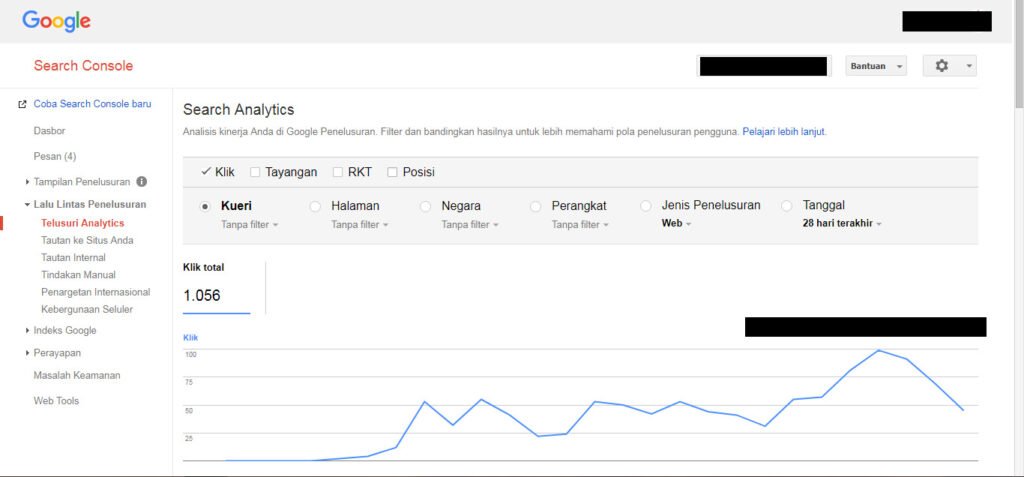
Google announced web multimodal Search performance reporting in Search Console on September 24, 2026. The reporting is designed to show how web content surfaces when people search using images through experiences such as Lens, Circle to Search, image uploads and Chrome’s image-search action.
Quick Answer
Use the multimodal search type filter to isolate impressions and clicks from eligible image-led search experiences. Treat the data as a new performance segment, not as a separate ranking system, and compare it with the pages and visual assets that actually receive visibility.
What the New Reporting Covers
Google says the data includes searches using Lens, Circle to Search on Android, image uploads to Google Search, and Chrome’s right-click Search this image experience. The integration is rolling out globally, so sites only see metrics when they receive relevant traffic.
The feature appears in Search performance reporting and Google’s generative AI reporting where applicable.
Start With Pages, Not Just Totals
Filter to multimodal search, then identify which landing pages receive impressions and clicks. Compare those pages with their image quality, alt text, surrounding context and topic. This gives you a concrete visual-content audit list.
Do Not Manufacture an Image Strategy From Tiny Samples
Early data may be sparse. Avoid rewriting successful pages or replacing useful images because of a short time window. Build a baseline first, then look for repeated patterns as more data accumulates.
Multimodal Reporting Workflow
- Open the relevant Search Console performance report.
- Apply the multimodal search type filter where available.
- Record the date range and rollout context.
- Compare pages receiving impressions.
- Review the images and surrounding text on those pages.
- Track changes over multiple periods before drawing conclusions.
What Google Actually Announced on September 24, 2026
Google says web multimodal-search data is available in the Performance report for Search results and in the report for generative AI features. The data can include searches performed with Google Lens, Circle to Search on Android, image uploads to Google Search, and Chrome’s right-click “Search this image” action. The rollout began globally on September 24, 2026, and metrics appear when a site receives traffic from those search experiences.
That distinction matters: the filter does not create a new source of traffic. It exposes a segment that previously was harder to isolate, giving publishers a clearer way to study how image-led searches surface their web content.
A Practical First 30-Day Baseline
When the filter becomes available for your property, record impressions, clicks, landing pages, countries, devices, and the time window. Export the data rather than relying on a screenshot so you can compare the same dimensions later.
Then inspect the pages with the strongest multimodal visibility. Ask whether their images are relevant, sharp enough to identify the subject, supported by nearby explanatory text, and accessible through normal image URLs. Make improvements because the page or image is genuinely weak—not because one short data window appears lower than expected.
How to Avoid Overinterpreting a New Report
Early multimodal data may be sparse, especially for smaller sites. A handful of impressions cannot establish which image treatment “wins.” Build several comparable periods first and distinguish changes in user demand from changes you made to the site.
The strongest use of the report is diagnostic: it gives you a real set of pages and visuals to study. It is not evidence for a universal multimodal ranking formula.
Common Mistakes
Do not treat multimodal impressions as a new universal SEO score or assume every image needs to be redesigned immediately. The report is evidence about how your content was surfaced, not a guarantee about future visibility.
Watch the Topic in Context
SEO for Google Images
Google Search Central’s image SEO guidance provides useful background for publishers interpreting the new multimodal performance data.
Watch on YouTube ↗ · Google Search Central