The Search Console Performance report becomes much more useful when you stop looking only at the sitewide clicks graph and start segmenting the data by query, page, country and device.
Quick Answer
Use dimensions to answer a specific question. Compare pages when diagnosing content, queries when studying demand, devices for experience differences, and countries when search behavior or localization matters. Always keep date range and filters visible.
Know What the Metrics Represent
Clicks record visits from eligible Google Search results, impressions record appearances under Search Console’s counting rules, CTR is clicks divided by impressions, and average position summarizes the topmost position according to Google’s methodology.
None of these metrics alone explains why performance changed.
Segment Before You Conclude
A sitewide decline can come from one page, one country or one device type. Apply a segment and compare periods before rewriting the entire content strategy.
Match the Report to the Question
For a title change, page and query data may be most relevant. For a mobile UX issue, device filtering matters. For a new topic cluster, compare the pages and queries that represent that cluster rather than the whole domain.
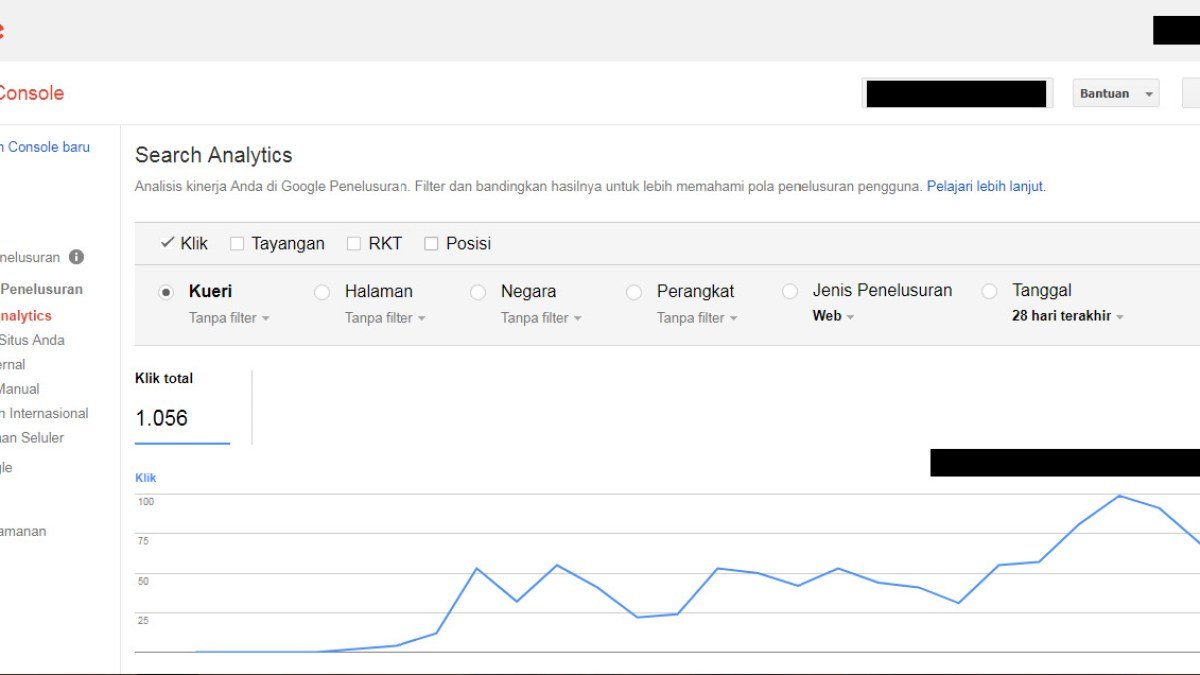
Performance Analysis Workflow
- Set the correct search type and date range.
- Record active filters.
- Compare periods when investigating change.
- Segment by page and query.
- Check device and country differences where relevant.
- Export data for deeper analysis when needed.
Example: Why Sitewide Averages Can Mislead
Suppose impressions rise 20% while average CTR falls. At first glance that may look like worse performance. But if a new article starts appearing for many broader discovery queries, the site may simply be receiving more low-position impressions while clicks still increase. The sitewide average hides that mix change.
Segment the report by page and query. If the core pages kept stable CTR while the new article added large impression volume, the lower overall percentage has a very different meaning than a CTR decline on established high-intent queries.
Build Questions Before You Build Reports
Start with a specific question such as “Which pages lost impressions after the redesign?” or “Did mobile CTR change on our Search Console guides?” Then choose dimensions and filters that answer that question.
This prevents report wandering—opening every tab, noticing random changes, and inventing explanations afterward. Good analysis is a sequence: question, filter, comparison, evidence, next action.
Use Regex and Exports for Larger Investigations
Once a property has thousands of queries and pages, the interface is useful for exploration but exports make pattern analysis easier. Group URL folders, compare branded and non-branded queries, or isolate a topic cluster so one large page does not dominate the property-wide view.
Keep the analysis reproducible: record the date range, search type, filters, and comparison window alongside the export. A spreadsheet without those settings can be difficult to interpret a month later because Search Console metrics depend heavily on the reporting context.
Common Mistakes
Common mistakes include treating average position as a fixed rank, comparing periods with different filters, or assuming a CTR change is caused by copy without checking query mix and search appearance.
Watch the Topic in Context
How Google Search Crawls Pages
Search performance is downstream from discovery, crawling and indexing, so this overview helps place the report in the wider Search pipeline.
Watch on YouTube ↗ · Google Search Central